





Most QA teams face this problem: The application is ready, but automation is not.
That is actually a Sprint 0 problem. It means that development moves forward, but test cases, scripts, test data, and automation still lag. At this time, the test automation team may fall back on manual testing, while automation gets pushed into the next sprint. As development speeds up in this AI world, the gap between app readiness and test readiness can grow even faster.
DORA’s 2025 research, based on 5,000 technology professionals, found that 90% are already using AI at work and more than 80% claim it has increased their work productivity. It happens on the development side too, but it does not automatically provide stable delivery. The above research is one of the biggest AI adoption weaknesses, and if teams do not have strong automated testing, stability will be affected.
QA leaders may think to solve this Sprint 0 issue by adding another automation engineer and improving the framework, but they do not fix the sequence behind the problem.
Traditional testing can be slow, and moving with it may lag everything behind, and development may be working on the next stage by the time your automation is ready. Sprint 0 is not only a delay problem, but it is a testing readiness issue. The real change you need to make is to start testing earlier, alongside development, so automation does not have to keep catching up in every sprint.
In this article, we use “Sprint 0” to describe the recurring gap where development moves ahead before test automation is ready. It is not an official Scrum event.
Why Sprint 0 Creates an Automation Lag
The Sprint 0 delay you face mostly starts with the way it is designed. The traditional setup usually works like this:
Requirement → Test Cases → Test Scripts → Test Data → Automation → Execution
Automation here comes at the end of the process. Before engineers start, the team needs to understand the requirement, create test cases, prepare scripts, and get the test data ready. The problem is that development may already move ahead before automation.
This is the gap most of the team highlights. The application is ready for testing before the automation is ready. When that happens, QA teams test manually during Sprint 0 and push automation to the next sprint. This is the repetition that happens in every sprint.
So, the main problem is that the automation is not slow, but it often starts too late in the process.
What is The Real Issue with Test Automation Readiness
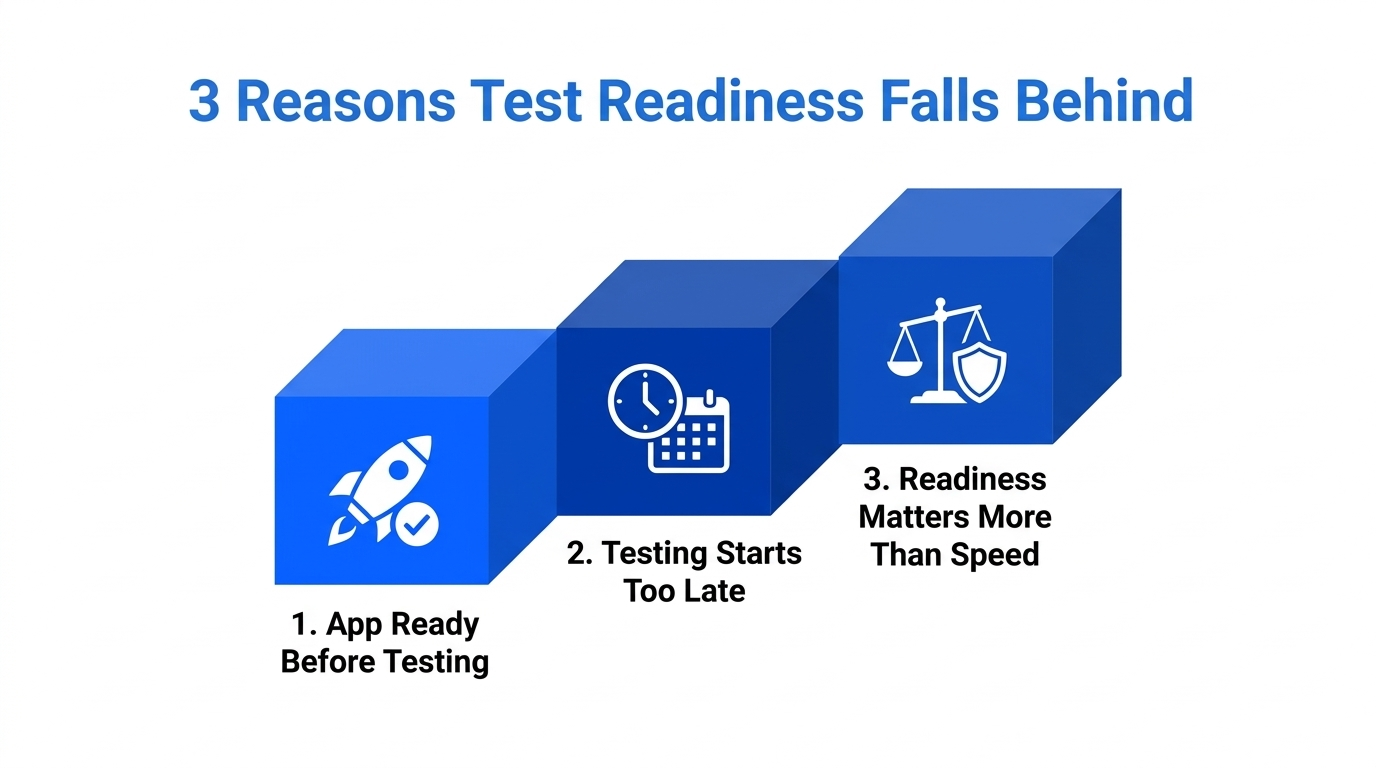
The problem is that most of the time the application is ready to test, but the QA is still preparing the test data, script and other essentials. At least some people in the testing team believe Sprint 0 is a speed problem. It is actually a problem with readiness.
The App Can Be Ready Before Testing Is
A feature may be completed for testing, but QA still needs to prepare test cases, test data, and the scripts. The experts are showing this gap, and when this happens, the team goes for manual testing and moves automation into a later sprint.
Working Faster Does Not Always Close the Gap.
To solve this issue, a team can create scripts faster, but they still face the same Sprint 0 problem if testing begins too late. So, it is not only about how long automation takes. It is also a question of when that work begins. If the test cases or data creation starts after development moves forward, QA is already trying to catch up.
Test Readiness Changes the Focus.
Instead of working on speed alone, the focus now shifts to getting more testing work ready earlier. Starting test preparation early can shorten the gap between app ready and test ready. If the gap is small, the team must depend less on manual Sprint 0 testing.
What Should Be in a Test Automation Readiness Checklist?
A team can be ready with requirements, test cases, test data requirements and API availability before Sprint 0. Other than that, they can also take existing test cases, history, code repository access, and business knowledge.
That does not mean that every test must be completed before development. It means that QA in your organization must have context to start preparing to avoid delays.
Here are some of the automation readiness checklists you must include:
- Clear requirements and acceptance criteria
- Prepare test scenarios and test cases early
- Test data requirements
- Available API and service details
- Existing test cases and historical test assets
- Code or repository access where relevant
- Business rules and domain knowledge
AcceliQA is a tool that is designed to use requirements, code repositories, domain knowledge, and historical test assets to help generate test cases, test data, automation scripts, and other testing inputs earlier in the process. The idea is not to finish everything before Sprint 0. It is to avoid reaching Sprint 0 with nothing ready except the application itself.
See how AcceliQA can help turn requirements, code, and existing test knowledge into testing assets earlier.
Start with Test ReadinessWhy Automating Every Feature Is the Wrong Goal
Trying to automate every feature is not a good idea because every application does not carry the same risk. A payment flow, login process, claims workflow, or regulatory step may need better protection than other features. The idea is here for risk-based testing. A team can determine where better testing is essential based on risk.
The goal of a QA team is not to automate everything equally. A better approach is: Protect the stable and high-risk parts deeply. Test the changing edges based on the risk they carry. This also changes what “keeping up with development” means.
Automation is not necessary for every feature. It should focus on areas where it is necessary and where there is a change for failure that causes the biggest business problem.
When Test Automation Becomes a Maintenance Problem
Getting automation ready is only half of the problem. The other half is to keep it working. A test can be valid today, but it may break after a small UI change tomorrow.
For example, a button may still do the same job, but its CSS class on the page changes. If the test depends on that implementation detail, the script fails even though the business flow itself is still working. This is another problem QA can expect:
Application changes → Tests break → Engineers fix scripts → Automation falls behind again.
A 2026 peer-reviewed survey from with 88 Selenium practitioners found that brittleness was one of the most reported challenges among the most reported challenges in automation. Modern testing frameworks also recommend reducing this kind of problem at the initial design level.
Your tests should describe what the user and business need to do to avoid problems. If the automation is resilient, QA spends less time repairing scripts and more time protecting the workflows that really matter for the business.
Why Legacy Systems Make Sprint 0 Even Harder
Legacy systems in this AI world make Sprint 0 harder because QA should first understand how the application works before they can automate it. There are other problems like missing documents, old test cases, and limited test coverage that not only add extra work for the testing team but also slow down test readiness.
Testing Knowledge May Be Missing.
Older enterprise systems may not have proper documentation and updated test cases. In those cases, your team must spend more time on finding out:
- How the application works
- Which business flows are critical
- What is tested already
- Where the biggest coverage gaps are
This is a challenge QA teams often face with older systems.
Automation Cannot Start From Nothing.
Before building automation, your team must know what should be tested. That information should come from requirements, code repositories, domain knowledge, and historical test assets. These sources can help generate testing assets even if formal documentation is missing or limited.
An Old System Makes Test Readiness Slower.
QA may move faster from the requirements into test design with a well-documented application, but using a legacy system may slow everything. Here, the testing team needs to understand the application, rebuild testing knowledge from scratch, create tests, and only after that can they prepare automation.
What Should Teams Measure Instead of Test Volume?
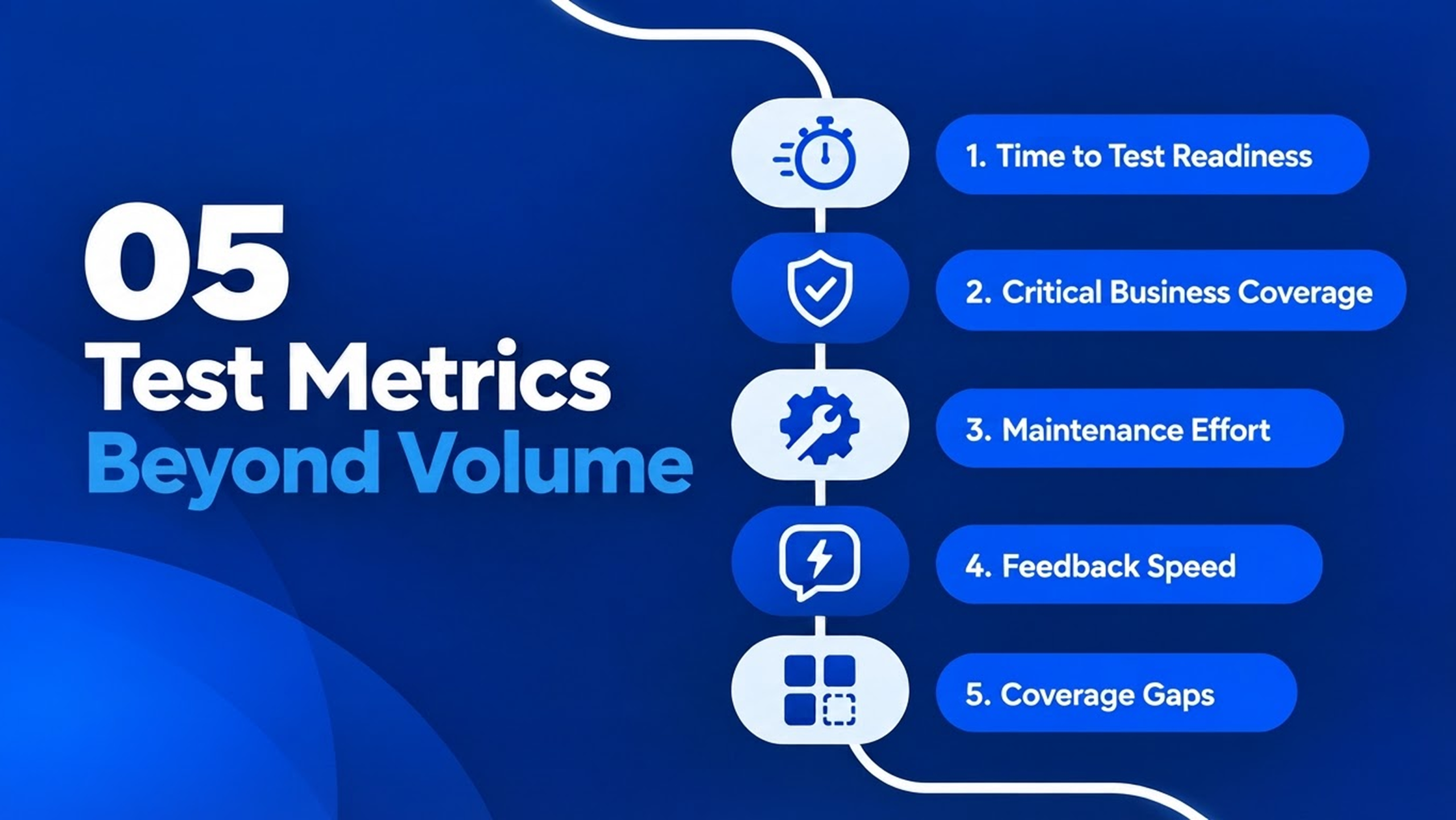
Instead of looking only at the count, a test automation readiness assessment looks at whether the testing is ready to support the next release. Apart from that, they can also look for critical business coverage, maintenance effort, feedback speed, and coverage gaps.
- Time to Test Readiness: Here, you can check how long it takes to move from requirements to test cases, data and automation.
- Critical Business Coverage: Check if the high-risk workflows are protected, or if the team is only automating whatever was built most recently.
- Maintenance Effort: You can look at the time it takes to fix old scripts instead of creating new coverage.
- Feedback Speed: How long does a team take to know if a change has affected testing?
- Coverage Gaps: Measure vital workflows that are still missing the rest of the coverage.
Explore how your team can find gaps in test data, coverage, automation, and release preparation before they slow the next sprint.
Check Your ReadinessHow Can AI Test Automation Reduce the Sprint 0 Gap?
AI automation can reduce the Sprint 0 gap by starting test preparation earlier. Here, a team can use AI agents for requirements, code, and to learn existing test knowledge and create test cases, test data, and automation scripts. This will happen while development is still moving, so the QA team does not want to wait until the end.
Instead of waiting for the application to be ready, AI agents begin working from the information that they already have, such as:
Requirements, Code, Existing Knowledge
↓
Generate Test Cases
↓
Prepare Test Data
↓
Create Automation Scripts
↓
Support Test Execution
AcceliQA tool can review requirements, generate test cases and test data, and create automation scripts. A tool like this can also use code repositories, domain knowledge, and historical test assets to get the context.
An automation like this can be essential, but it does not avoid human intervention from QA. It is vital in areas like governance and compliance, and other repetitive preparation and maintenance work; we can use AI agents.
Stop Chasing Sprint 0: Start Testing Earlier
Sprint 0 mostly looks like a problem caused by slow automation, limited headcount, and changing requirements, but the real problem is simple: testing is not keeping up with the application's readiness. That’s the real issue. This is why adding more headcount or writing more scripts does not solve this problem. If the test preparation is delayed, you may end up with the same issue again.
AcceliQA is a tool that was created to change this sequence. With this app, a QA team can start their testing from requirements, code, domain knowledge, and existing test assets. With this tool in testing, your team does not have to wait until the application is ready.
Because of this, you can change your approach from catching up with development to building test automation readiness earlier. That means your QA can spend less time on creating scripts and more time on other essential areas such as data and coverage.
See AcceliQA in action and start building test readiness earlier instead of waiting for development to finish.
Close the Sprint 0 Gap Explore AcceliQAFAQs
Sprint 0 is a problem happening in software testing when the application is ready for testing, but the automation is not. At this time, QA teams have to rely on manual testing, while the automation work gets pushed into the next sprint.
Automation can fall behind because it starts after other testing work is already underway. If something happens like this, QA will be preparing test cases, test data, and automation, but development may be moving on to the next phase.
Automation readiness in testing is having enough test work in the queue to validate when the application is ready to go. It includes requirements, test scenarios, test data and existing knowledge of testing and automation for critical workflows.

More Articles

Agentic AI in 2026: What Enterprise Leaders Must Prepare for
By 2026, agentic AI will move from pilots to production. Discover what enterprise leaders must prepare for as AI agents reshape business operations.
January 22, 2026

UiPath vs. Open Source: A Test Manager’s Perspective on Choosing the Right Testing Tool
Compare UiPath Test Suite vs open-source tools like Selenium, Rest Assured, and JMeter from a Test Manager’s perspective to choose the right QA and automation stack.
November 18, 2025

Tosca vs. Open Source: A Test Manager’s Perspective on Choosing the Right Testing Tool
Compare Tricentis Tosca with open-source tools like Selenium, Rest Assured, and JMeter. Learn how to choose the right testing tool for scalability, cost, and long-term ROI.
October 21, 2025