



Quick Summary
If you want to build an AI agent with UiPath Agent Builder, you need five things: a UiPath Automation Cloud account, an LLM connection, a clear system prompt, at least one tool or automation for the agent to call, and a published process in Orchestrator. From experience, Accelirate has seen that teams that clearly define the agent’s role (when it should escalate and what data it should use before building) can go live faster and need fewer testing cycles. Any team that treats prompts as a small setup step usually takes longer than expected.
We are already at a stage where enterprises are eager to learn, explore, and implement AI agents in their automation workflows. UiPath is at the forefront of this shift, offering innovative ways to automate processes with intelligent AI-driven solutions. With the introduction of low-code platforms, it is now easier than ever to build and deploy AI agents seamlessly.
But before we get into building reliable, scalable and secure AI agents, let’s first understand some key terminologies in the simplest way.
What are the Key Terms to Understand Before Building an AI agent in UiPath?
These terminologies are the core of building an AI Agent. Understanding them can help you fast-track the process with confidence.
- Agentic AI: Just like Robotic Process Automation (RPA), Agentic AI is technology automation in action. It makes decisions, learns from interactions, and takes action accordingly.
- Agentic Automation: When Agentic AI is applied in process automation, it becomes Agentic Automation, allowing workflows to be more adaptive and intelligent.
- AI Agents: AI Agents are autonomous entities that can understand, act, and perform complex tasks just like robots in RPA, but in a much smarter way.
- Agent builder: UiPath Agent Builder is a low-code platform that helps you build and deploy AI agents, similar to how UiPath studio is used to build RPA bots.
What Makes UiPath AI Agents More Powerful Than Traditional RPA Bots?
AI Agents possess unique properties that make them powerful, more reliable and efficient than traditional bots. With these capabilities, AI agents are not just rule-based automation tools; they’re intelligent, learning systems that evolve with use.
- Creative Thinking: Generates intelligent responses.
- Goal-Oriented: Works towards achieving specific objectives.
- Intuitive: Learns from past interactions.
- Self-Adaptive: Able to adapt to situations through self-learning ability.
- Handles Uncertainty: Can handle ambiguity and make decisions even with unstructured data.
- Independent Action: With a simple prompt, they can execute tasks without constant human input.
- Context-Aware: Retains memory for better decision-making.
These capabilities aren't just theoretical. Accelirate built an agentic system for a leading US healthcare insurer with a network of agents. Here, the Context-Aware and Self-Adaptive capabilities were the deciding factor because the agent cross-referenced policy documents, classified requests, and escalated only for the genuine cases. The result was a 70% reduction in prior authorization processing time, with human reviewers freed from repeated routine cases entirely.
Ready to build your first AI agent? Start with a small pilot and explore how UiPath Agent Builder can automate your tasks faster.
Schedule a 30-minute free meeting with our experts.What Are the Key Components of Agent Builder?
There are four core components of Agent builder:
1. Natural Language Processing (NLP)
AI Agents use NLP to understand, interpret and generate human-like responses in simple language through Prompts. Internally, the agents are using Large Language Model (LLM) for text processing, text generation, summarization, translation and classification-like activities.
Understanding Prompts: How Agents Communicate
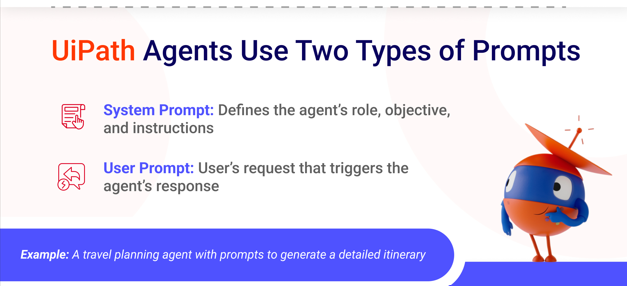
UiPath Agents accept two types of prompts
System Prompt:
This prompt is for agents to understand their role, objectives and instructions. While designing the agent, we should be clear about the goals of what and why we are building that agent to ensure that it functions as expected.
Example:
I want to build an agent to create travel plans for me. In this case, my system prompt will look like the following:
#Role
You are my travel management agent.
#Objective
Your goal is to provide me with a detailed plan according to the input I provide
#Intructions
Collect travel details (source, destination, dates) and generate a structured itinerary with the given information - mode of transport with time required and cost, places to visit, >3-star hotel to stay with price with breakfast included, and the best vegetarian food to eat in the city. Generate output in table format.
#Tools
Send details in an email using the “Automated_Travel_Plan” process.
User Prompt:
In simple words, the system prompt is how the user is going to ask the agent a question to generate the desired output.
Example:
For the travel agent described above, the user prompt will be:
Generate a travel plan from New York to Paris for 4 days from April 10 to April 14.
Additionally, with this prompt, you can pass input and output parameters to provide the agent with the necessary data it will require to process and get the desired output in a specific format.
Example: For a travel agent, my input will be the source place, the destination place, the travel start date and the travel end date.
Learn the best way to build Agents with prompts—watch now!
2. Context Grounding
LLMs are trained on vast datasets, which can sometimes result in generic responses. To get context-specific answers, we need to provide reference documents.
Example: If I ask, “What are the different leave policies?”
This is the output it generates:
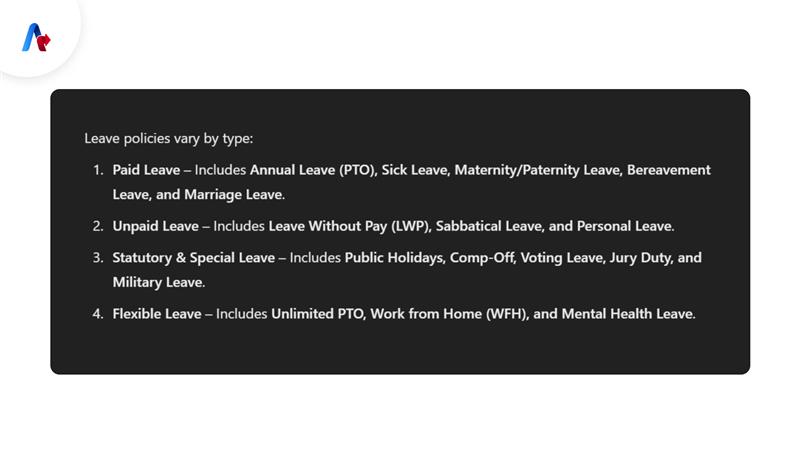
However, my organization’s policies may differ. So, I need to set up a context for my agent so that I can know my organization’s leave policy. But how will the LLM know my policies? We need to provide documents to set up context, and it will refer to the information within those documents to answer my queries.
3. Tools & Integrations
Tools can be referred to as anything you can integrate with your agent to:
- Retrieve data from enterprise systems
- Trigger automated workflows
- Send emails or notifications
They can also work alongside RPA bots and other automation tools for seamless execution.
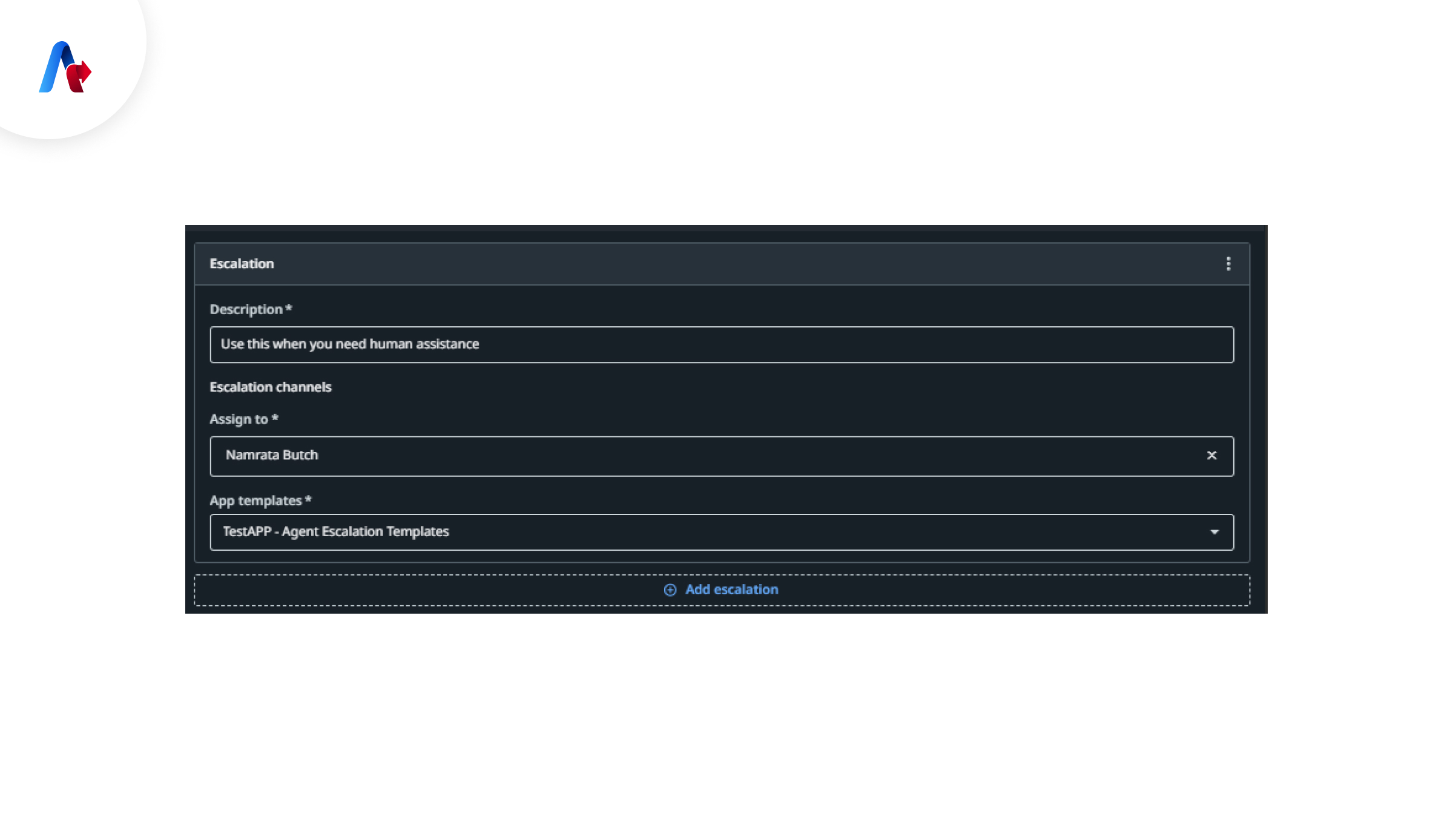
4. Human-in-the-Loop
Humans play a pivotal role in the automation process. For some tasks, agents might require human intervention, such as in a complex scenario:
- Approving or rejecting decisions
- Handling exceptions
- Reviewing certain outputs
As agents learn from human interactions, they improve their decision-making abilities over time.
Other Significant Components of Agents for Configuration Settings
1. Temperature to Adjust Output Creativity
Controls how precise or creative the AI agent should be in their response.
- Low Temperature → More structured, factual responses
- High Temperature → More creative, varied outputs
Example
- Writing a leave request email? Low temperature.
- Crafting an event announcement? High temperature.
2. Token Generation to Manage Data Processing
Tokens are the measure of how data is passed on to the LLM. Basically, how much data the agent can process at once. Larger datasets require higher token limits. A small token limit means large datasets cannot be provided to the LLM. If you want your agent to use large datasets like large files, you will have to set the token limit to a high number.
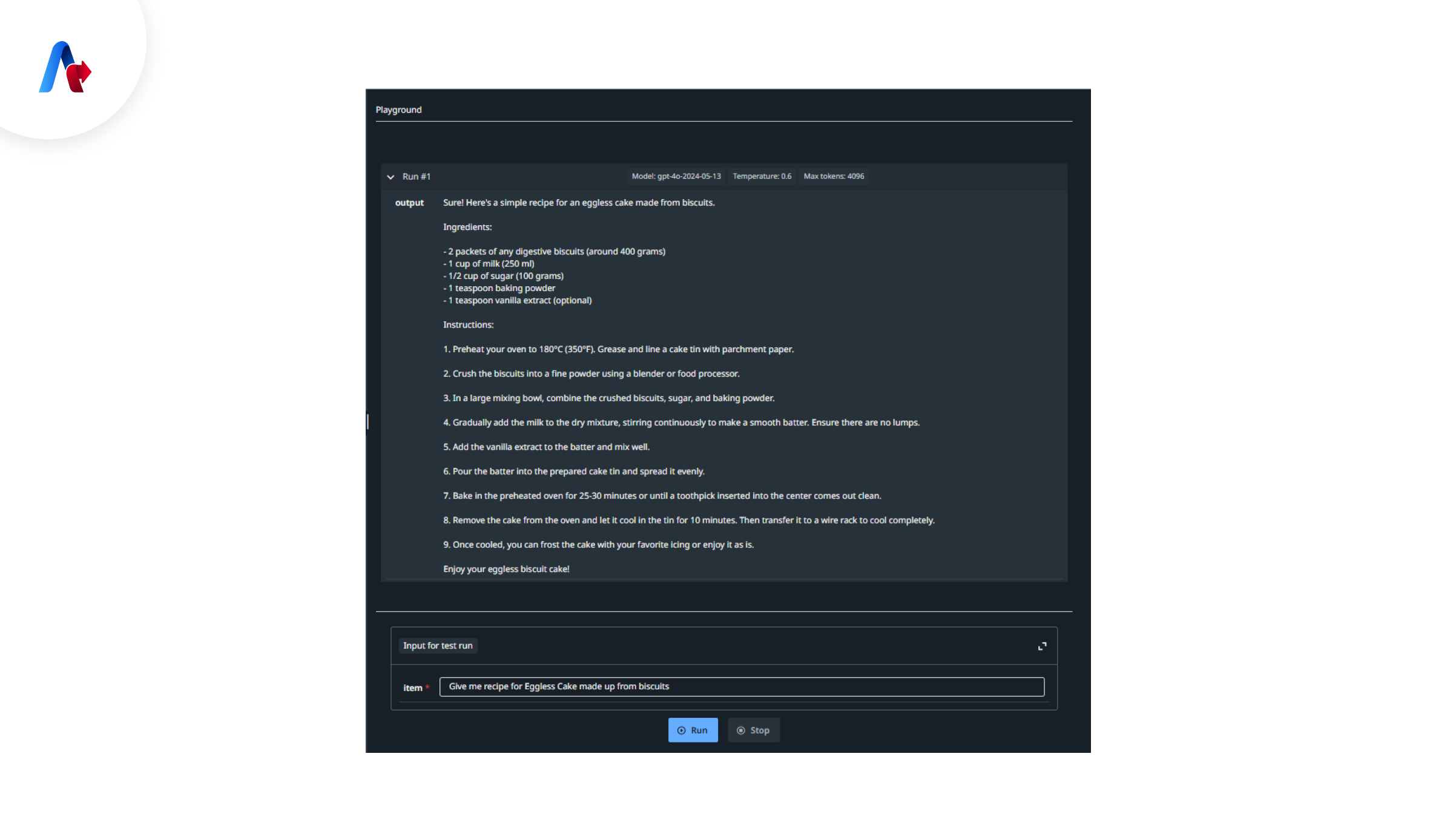
3. Playground to Test Agents in Real Time
Before deployment, agents can be tested in a controlled environment to ensure they function correctly.
4. Threshold & Result Filtering
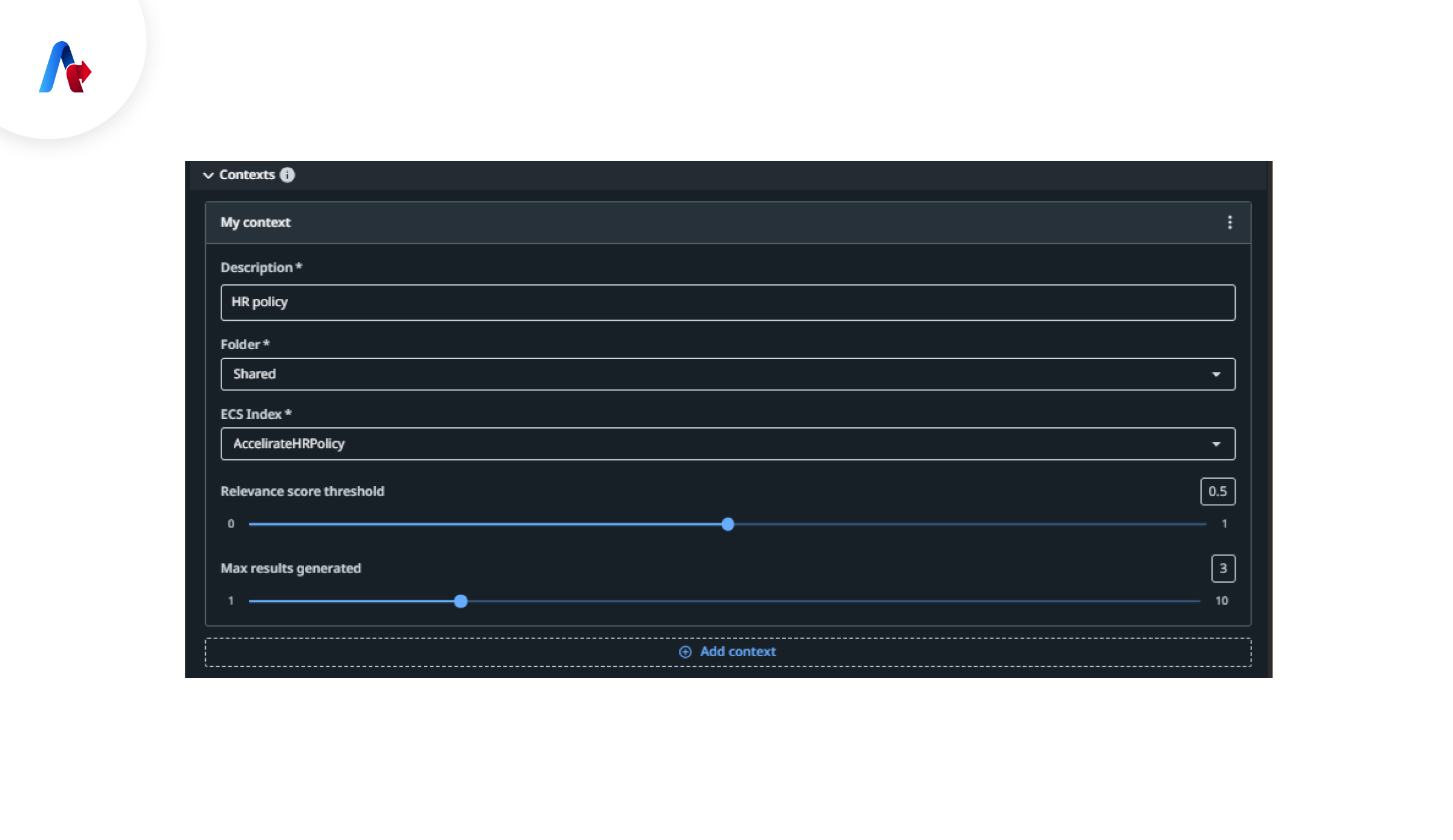
When a context is set up for an agent, we can set a threshold value to get a result matching that threshold percentage or score. It means agents can be configured to return results based on accuracy scores.
Example: Setting a 0.7 threshold means only results with a 70% confidence level or higher will be shown.
5. Publishing & Execution Logs
Agents can be published to UiPath Orchestrator, where execution logs (Traces) help in monitoring and troubleshooting.
What challenges did you face in implementing AI Agents?
Let’s address them right away!
Prebuilt AI Agents to Help You Get Started Instantly
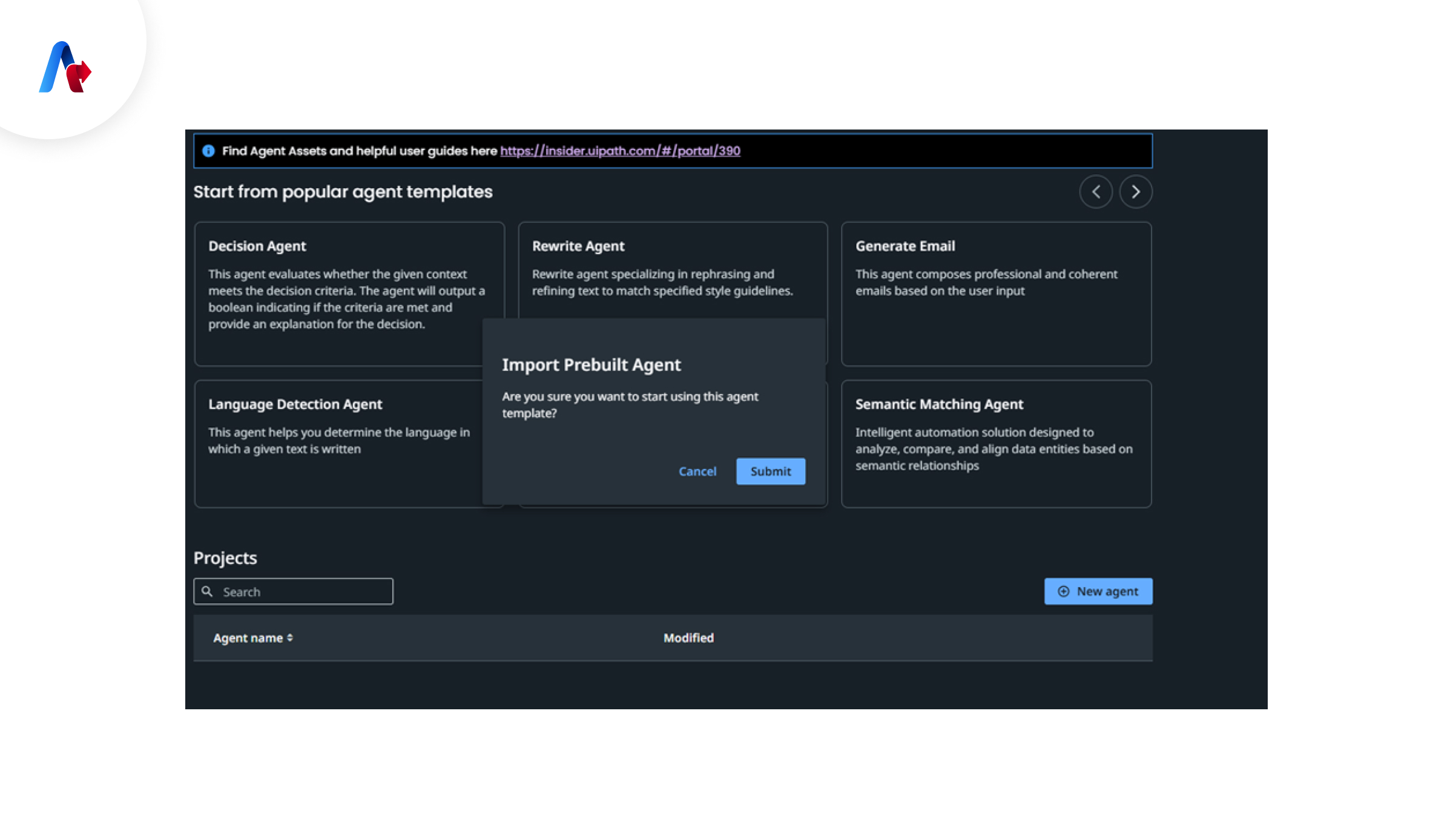
UiPath Agent Builder provides prebuilt agents for common use cases to get started with. It requires less configuration and is ready to use, allowing businesses to quickly adopt AI-driven automation.
- Modify and customize prebuilt agents to fit specific needs.
- Deploy instantly with minimal setup.
- Reduce time-to-value by using ready-to-go automation
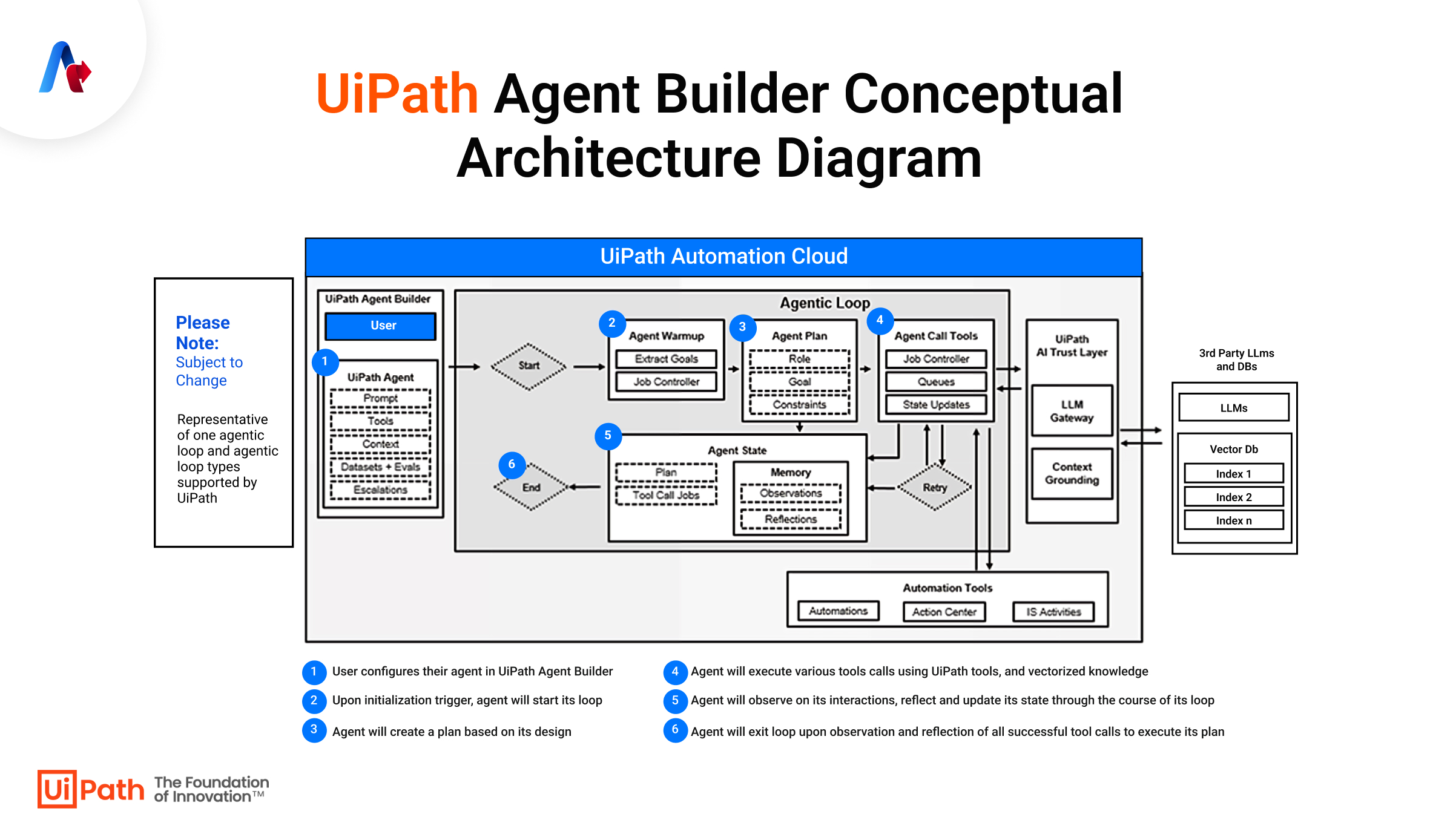
What You Need to Get Started with Agent Builder?
Before building AI agents, ensure you have:
- ✓ Knowledge of UiPath Studio Web and Integration Services
- ✓ Familiarity with Action Apps and Automation Developer License
- ✓ Access to the AI Trust Layer
- ✓ Prompt Engineering Knowledge
12 mins read
AI Agent Orchestration: Managing Multi-Agent Systems for Business Efficiency.
Read MoreWhat Are the Steps to Build UiPath Agent Builder?
Building UiPath agents step involves opening Agent Builder, creating a new agent, setting properties, integrating tools, defining context and keeping humans in the loop for approvals. Let’s see more details below.
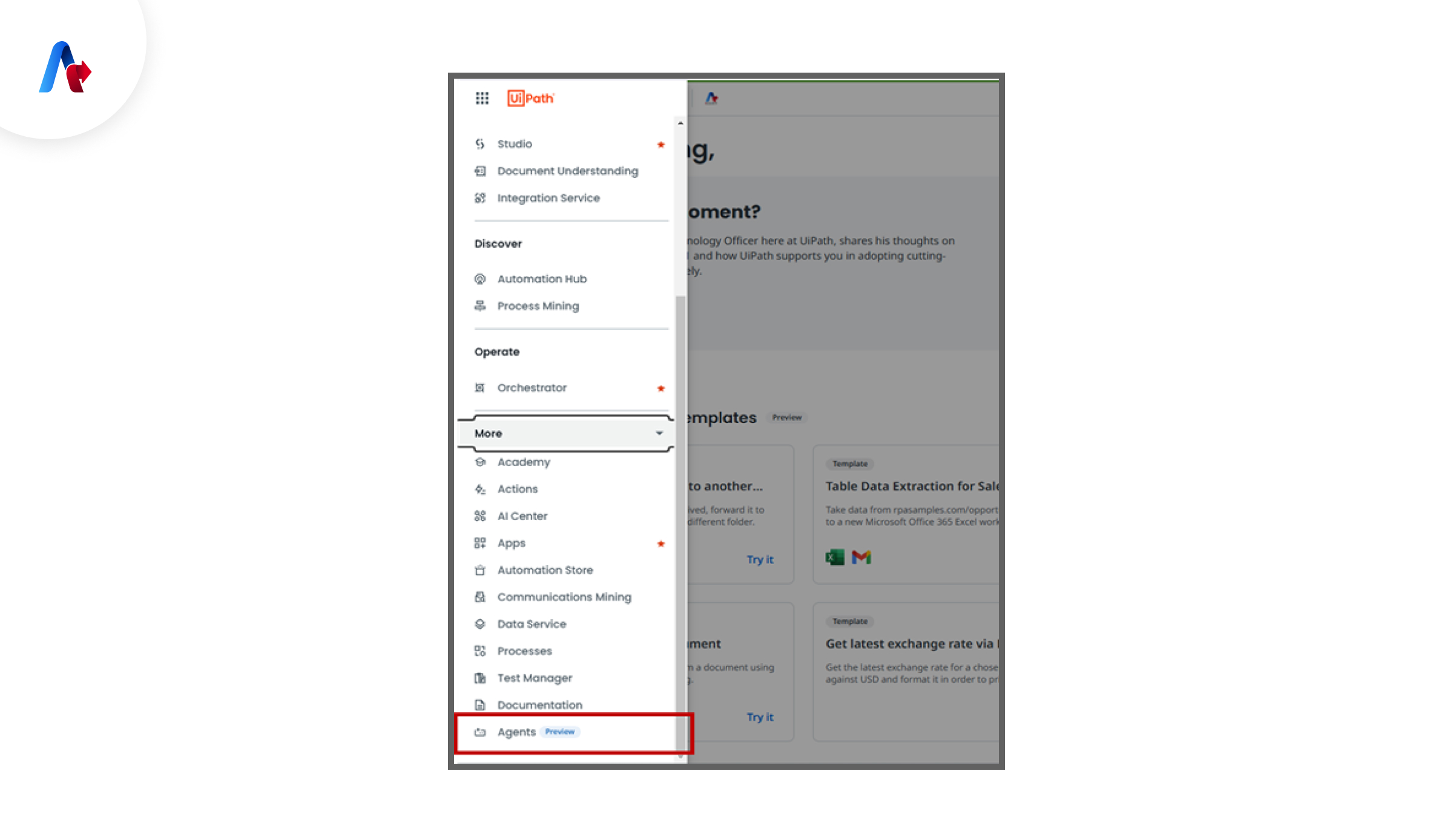
1. Open Agent Builder
Go through UiPath Orchestrator → Select Agents from the left menu.
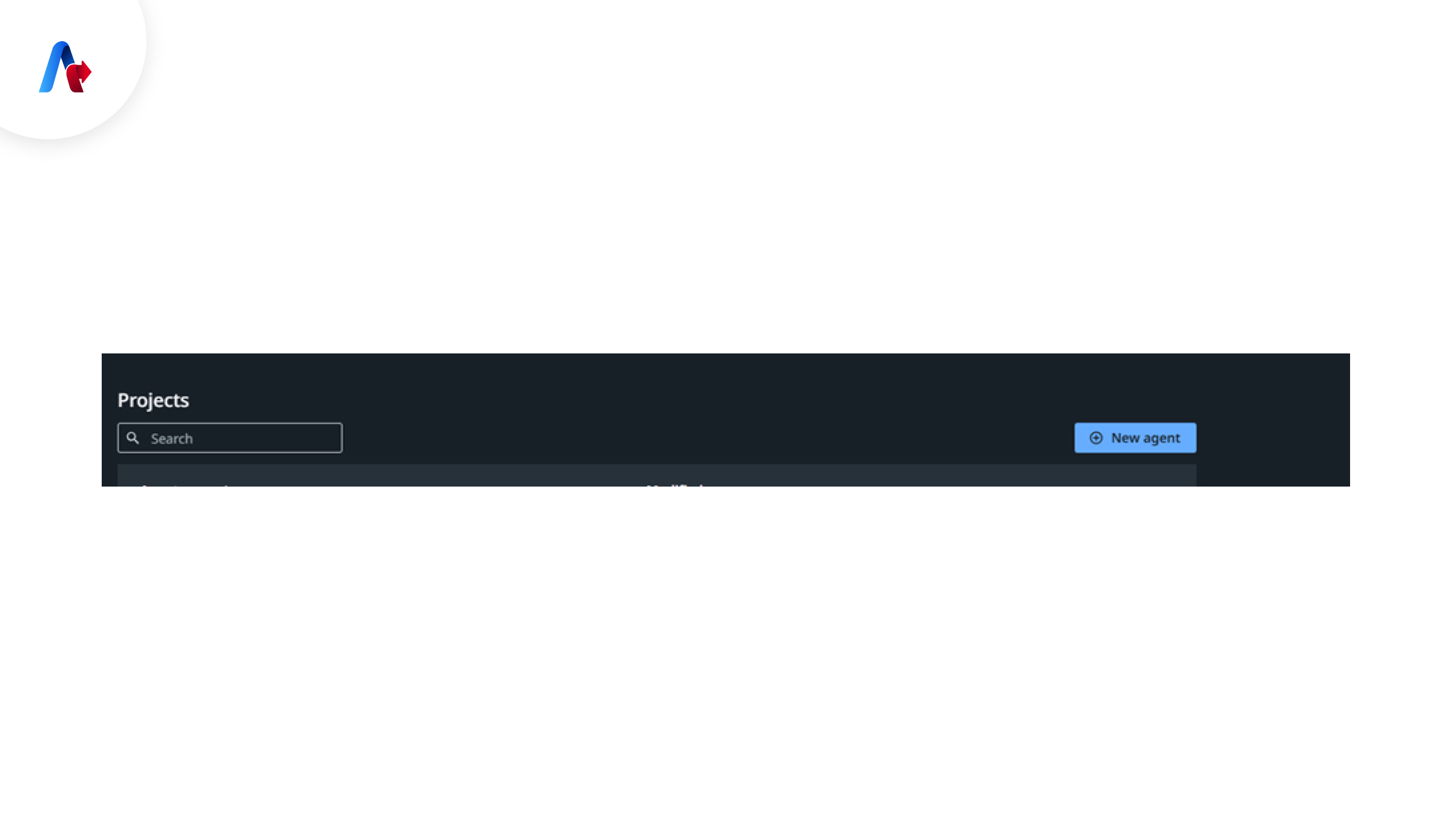
2. Create a New Agent
Click on "New Agent" to start building from scratch.
This will display the screen below to start building agents. You will discuss all components.
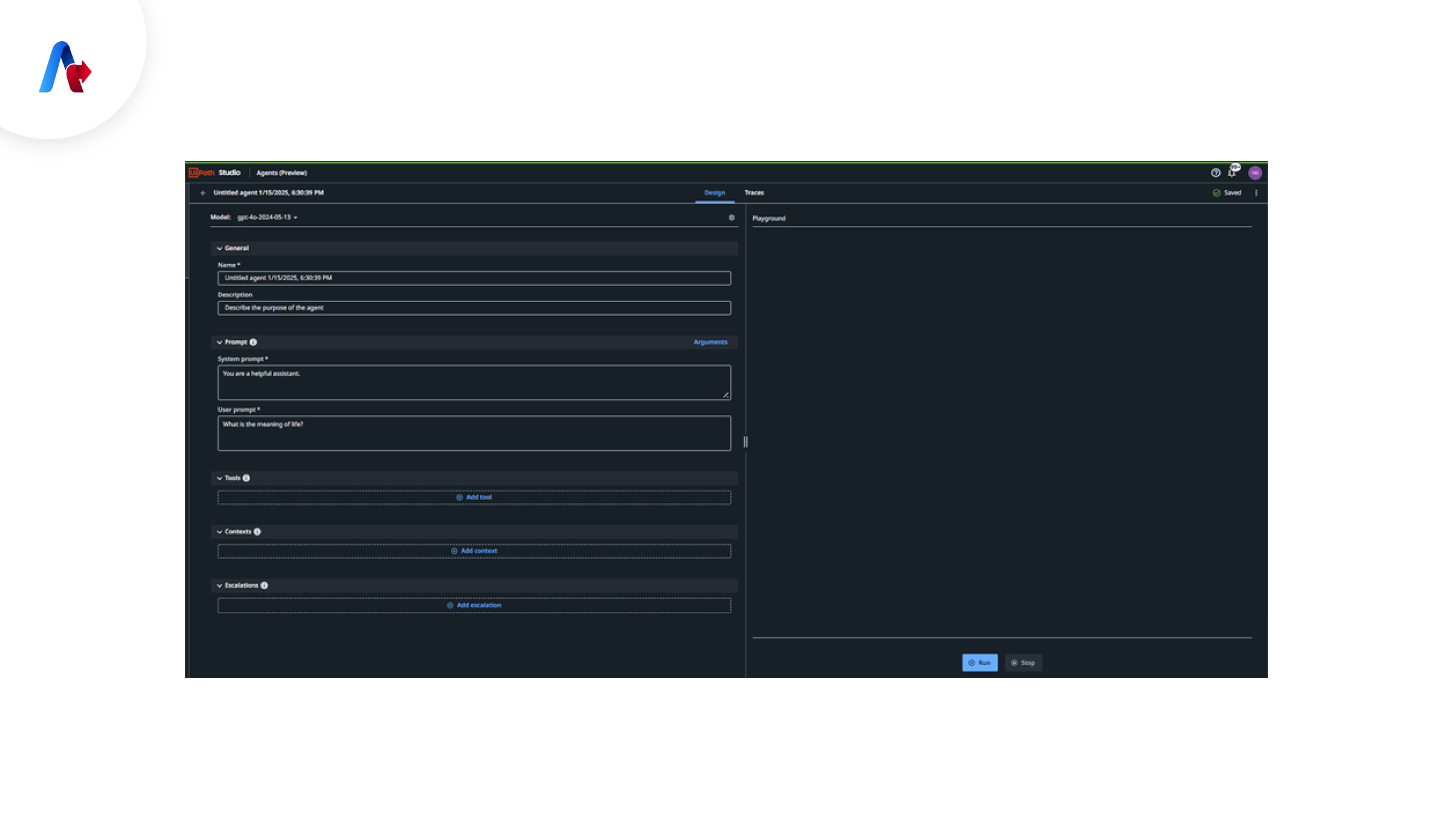
3. Set Agent Properties
- Give your agent a name and description.
- Write system and user prompts.
- Set up input and output parameters.
4. Integrate tools (Optional)
If necessary, connect the agent with:
- RPA workflows
- API-based integrations
- Enterprise systems
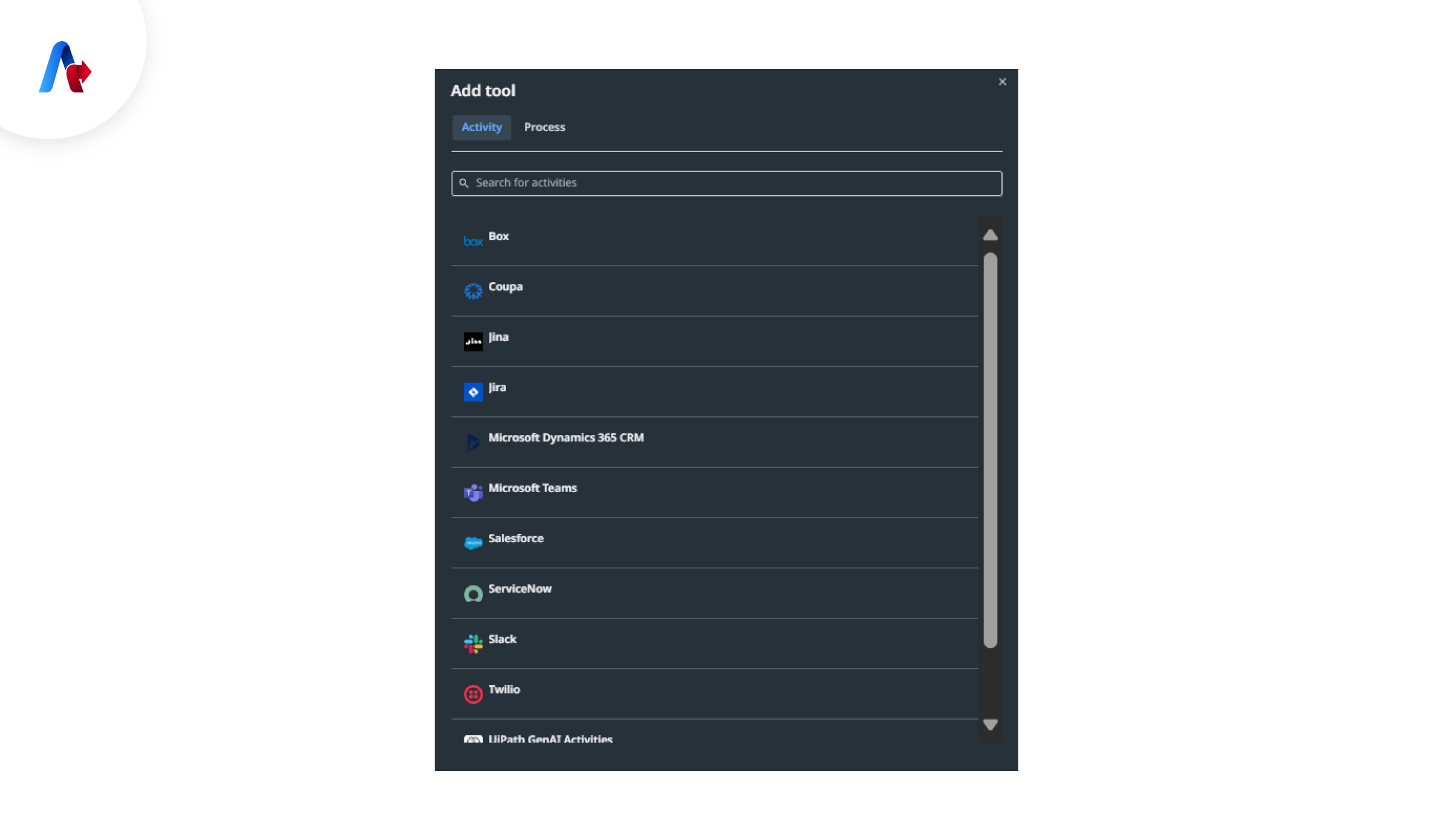
5. Define Context (Optional)
Upload documents to improve accuracy.
6. Add Human-in-the-Loop (Optional)
Mention clearly where manual review or approval is required.
7. Test Your Agent
The final process is to test your agents with real use.
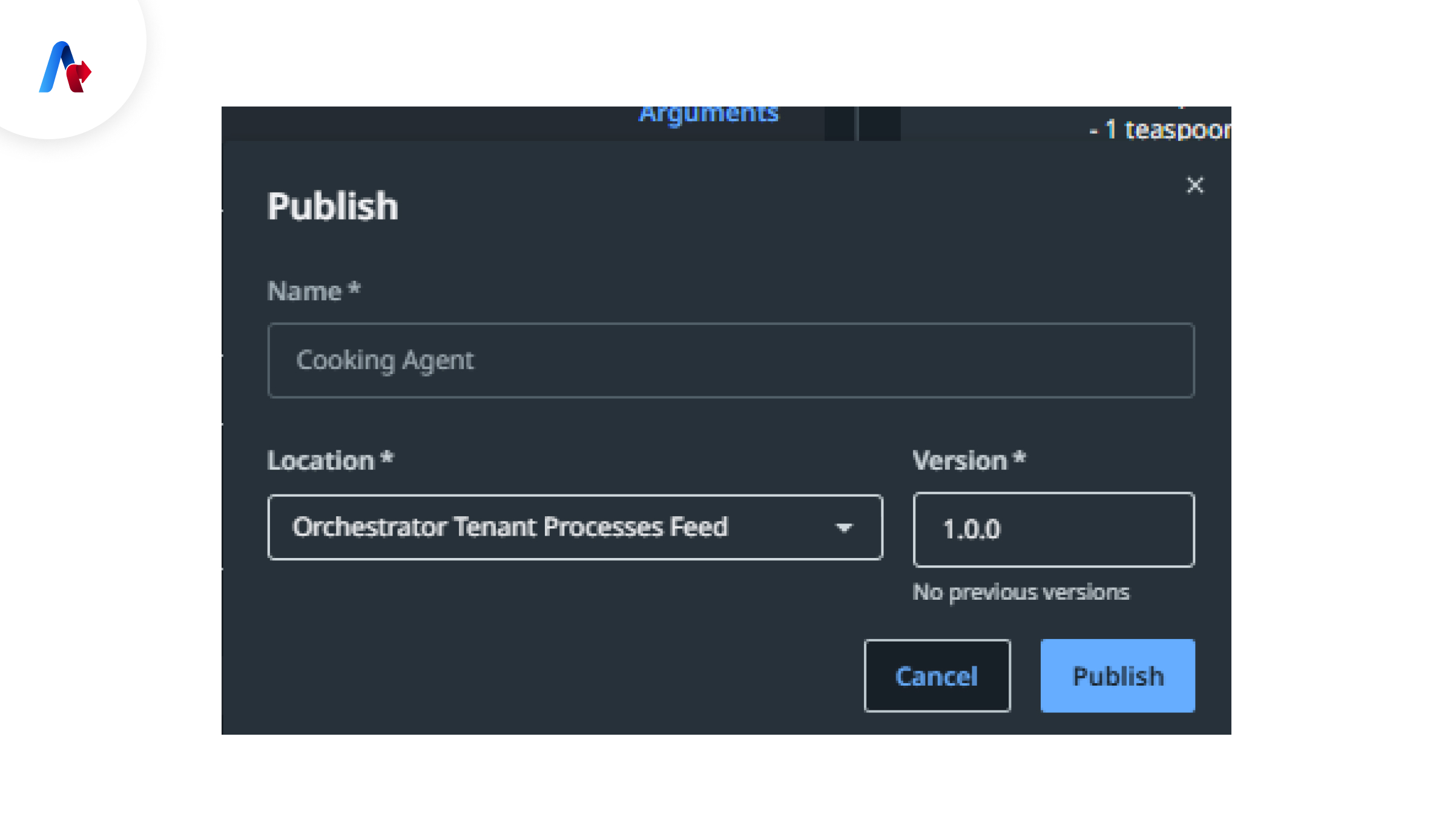
8. Publish & Deploy Your Agent
Once tested, publish the agent to Orchestrator for deployment.
Let’s see how Accelirate's teams reduced issue resolution time by 85% across Finance, IT, and Healthcare sectors by using AI agents through UiPath Maestro and Orchestrator.
Build your own AI agent to boost
automation and stay ahead in
the AI revolution!
Let’s Connect
How Prepared Are You for Agentic Automation?
As many new features and developments are expected to come soon in the Agentic AI space, it is good to have basic knowledge of this new technology to be a leader in Agentic automation. Agentic automation will become a day-to-day part of business operations. So, how to get started?
- ✓ Identify automation use cases that could benefit from AI agents.
- ✓ Define clear goals and objectives for the agent.
- ✓ Start building smarter automation with UiPath Agent Builder.
AI Agents are more than just chatbots because they can make intelligent decisions, adapt, and work autonomously. Partnering with a trusted leader in AI Agents-driven intelligent automation can empower you and your teams with end-to-end process automation powered by expert strategies and roadmaps for faster ROI. Connect with us today!
If you are planning to move from this guide to a deployment, explore Accelirate's 5-Week AI Agent Activator Program that will help you move to a production-ready agent in 5 weeks.
Explore the Activator Program
FAQs
Agent Builder from UiPath is a tool created to build AI agents that can perform various tasks, make decisions autonomously, and interact with systems if necessary. It is possible to build various things, such as prompts, tools (like APIs or apps), and automation workflows, so the agent can handle real business processes, not just generate responses.
It means building software agents that can do different things, such as thinking, deciding, and acting based on a particular goal. In the development process, a team should define the agent’s role, write prompts, connect tools, and set up rules. All these processes can help automation to complete tasks with minimal human intervention.
Agentic AI automation is different from its predecessors because it uses AI agents to handle tasks where we need judgment and flexibility. This is not the case with RPA, as it can handle only rule-based tasks. In simple terms, RPA follows only fixed steps, but agentic automation can adapt, learn, and make decisions when the situation changes.
AAn enterprise that wants to build AI agents should start with a clear use case, define the AI goal, design prompts, connect tools, and test it with human oversight to assess its accuracy and flexibility. There are many platforms like UiPath to help combine AI and automation so agents can work in real business environments.