



DEC 2, 2025 |
From Manual to Autonomous: How Tosca Vision AI is Redefining UI Testing
Quick Summary
A small change in the UI can affect the whole process, and QA teams spend hours fixing it. This is now changed by Tosca Vision AI, helping testing teams move from manual AI testing to stable automation. What makes it unique is that it relies on a visual screen instead of changing IDs or DOM properties. With the power of AI in test automation, this tool can reduce script maintenance and keep your testing going forward even when the UI changes.
UI testing is one of the most essential parts of quality assurance, but it consumes plenty of time without a smart system. Think about a small design change in your website, such as a new button style or layout shift; it breaks your automation and forces teams to redo scripts.
This process of retaking not only slows your testing but also creates a burden for your QA teams. Traditional property-based testing may fail in this scenario, but Tosca Vision AI can help you fix this problem by identifying UI elements.
This new system works based on how they look and solves these issues autonomously. Through its visual reading capacity, Tosca helps you stay stable even when the application changes.
A Forrester report states that about 49% of organizations have already adopted test automation in their QA processes, and more are planning to adopt it soon due to its speed, accuracy, and time savings.
What Makes Vision AI Tosca Different?

Vision testing takes a different approach. It focuses on what appears on the screen rather than on technical properties.
-
It Looks at the Screen Change:
Traditional tools typically depend on IDs, classes, or DOM paths. When these UI changes are made, tests break, but this is different when you have this auto heading AI agent by your side.
-
More Stability for Dynamic Interfaces:
In a modern application scenario, you can see the applications update the layouts frequently. With smart testing, the Tosca tool focuses on what is visible, not the code changes. This will avoid reworking and keep your tests stable.
-
Automating that was Impossible:
The arrival of this application in testing is changing the quality assurance process. Some areas, such as remote desktops, virtualized apps, and SAP Fiori tiles, were hard for the autonomous system to access, but they are now easy to access with this automation method.
Real-World Use Cases of Tosca Vision AI
The real-life projects' use cases can show you how a tool like Tosca performs in UI automation. They are not just examples but show you real challenges and how QA testing solves them.
SAP Fiori Applications
In an enterprise testing environment, SAP Fiori screens can cause issues during testing when their IDs or class names change. At this time, this tool comes to your rescue and identifies UI elements visually. In this way, testers can automate these apps even when the underlying properties change.
Dynamic Web Portals
Web portals are another area where buttons or fields appear and disappear based on user state. This area was once difficult to automate, but with an innovation from Tosca, it is now easy to handle using its screen-capture method.
Remote or Virtualized Applications
There are applications running through Citrix or VDI environments. This is most of the time locked down and does not expose UI properties. Tosca AI interacts with the screen directly and helps you manage this situation.
Highly Visual Interfaces
Many things, like dashboards and charts are visually rich, but you find little control over them. With the Tosca self-heading method, QA teams can find interactions with their visual elements.
Best Practices for Vision AI Adoption
You can use this testing tool to improve your quality and simplify your work. If you want to be highly successful, there are some best practices you can follow to reap the best.
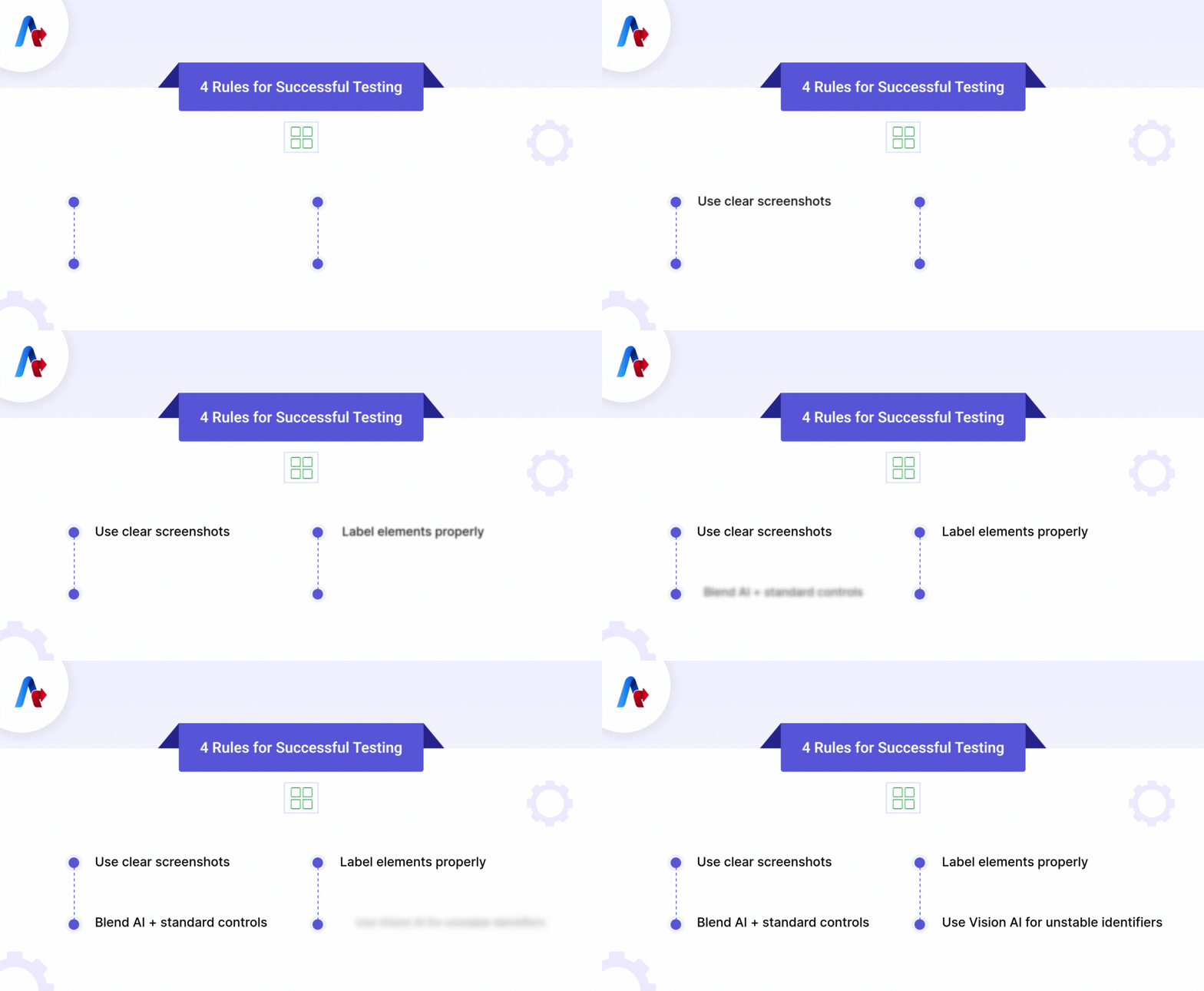
1. Use Clear and High-Quality Screenshots
Visual inputs are essential here. If you provide clear and quality snapshots, the AI can give you the best result. Instead, if you use unclear and low-quality visuals, it will affect the final output.
2. Label Elements with Descriptive Tags
When creating Vision AI controls, make sure you use meaningful tags because it becomes easier for the engine to find the right element during execution. Tricentis suggests that using simple, descriptive names can help improve accuracy and maintenance.
3. Combine AI with Standard Controls
It is also essential to combine this tool with traditional Tosca controls. Vision AI can handle elements that are hard to identify, but for standard controls, you need help with conventional controls.
4. Use AI Where Technical Identifiers Are Unstable
This type of AI is beneficial when applications do not expose reliable properties, such as remote desktops and virtualized environments. Using it in these areas can help you reduce locator-based test failures.
For more details, you can refer to the Tosca Vision AI Documentation, which will help you with more examples and workflow recommendations.
Want to adopt Vision AI Tosca in your QA workflow? Talk to our QA experts to learn more.
Get StartedWhat are the Limitations of Vision QA Automation
Although AI brings new speed and flexibility to testing, it has its operational limitations. A good team must know these limits before it completely adopts this tool.
Confusion with highly similar interfaces is a problem with this tool. There are many things like icons, buttons, colors, and shapes that look similar. At the time, the situation may select the wrong element.
- Vision models perform well if you train with the best images. Poor-quality screenshots and limited samples can affect accuracy.
- It also faces some issues if the page scrolls slightly. It should be in the same position during the scan to avoid this problem.
- Vision models can't capture or interact if the control is off due to scrolling. Sometimes, you have to manually scroll to make the control visible before identification.
- Due to overly screens (popups), the AI agents testing detect background elements that may lead to confusion between active and inactive screens.
Read: Guardrails and Guidelines for Agentic Test Automation: What You Need to Know
The Future of Autonomous Testing
The next stage of automation can go further with its autonomous capability. At this time, the AI will be able to perform most of the work on its own. Vision AI is pushing Tosca in this direction and helping with testing to adjust when the interface changes.
Instead of breaking whenever a button moves, the automation with its healing power can adjust to the change and continue running the software. This kind of ability is necessary to reduce the time spent by the maintenance team.
It is also vital for the QA team to move faster because they don’t have to pause to fix scripts after every release. The main advantage is that self-healing AI evolves with challenges and scaling, making your testing more stable in the future.
Essential Read: AI Testing Agents Explained: Automating QA for Maximum Efficiency
Start Using Vision AI to Strengthen Your QA Workflow
Tosca AI can help you reduce your effort, stabilize your tests, and keep up with the moving UI changes and business needs. It combines visual recognition with healing capabilities to help QA teams test even in a complex environment.
Gartner says that 40% of teams now automate testing in every development cycle to improve their speed and release cycle. You can choose this testing tool to reduce test maintenance and adapt automation as the business grows.
If your goal is to cut maintenance time and move to autonomous testing, Tosca Vision AI is one of the best options you can get in the market. Remember to start small, train it well, and let the AI take the repetitive jobs in your testing. With such a tool, you will see more improvement and continued delivery instead of slowing your delivery.