



Quick Summary
Tableau Prep Builder is Tableau's visual, no-code data preparation tool that cleans, combines, and reshapes raw data from sources like Excel, Salesforce, and databases into analytics-ready datasets. Using a drag-and-drop, flow-based canvas, it handles joins, unions, and transformations with live previews at each step. Tableau Prep Conductor extends this by automating and scheduling flows on Tableau Server or Cloud, ensuring fresh, governed data. While Tableau Desktop focuses on visualization and dashboards, Prep Builder handles the data preparation layer that feeds it, making both tools complementary parts of a trusted analytics and AI pipeline.
Every analytics or AI initiative lives or dies on the quality of its data, and most teams still spend more time wrangling spreadsheets than building models. Tableau Prep Builder was built to close that gap. It's Tableau's visual data preparation tool, and it turns messy, disconnected data from CRMs, spreadsheets, databases, and cloud apps into clean, analysis-ready datasets, without writing SQL. Paired with Tableau Prep Conductor for scheduling and governance, and used alongside Tableau Desktop for visualization, Prep Builder is the piece of the Tableau platform that makes trustworthy, AI-ready data a repeatable process instead of a one-off cleanup job. This guide breaks down what Tableau Prep is, how Tableau Prep Builder works, what Tableau Prep Conductor adds for automation and governance, how Tableau Prep compares to Tableau Desktop, and the best practices for building data workflows your analytics and AI initiatives can actually rely on.
What Is Tableau Prep?
Tableau Prep is Tableau's self-service data preparation solution. It allows users to clean, reshape and combine datasets using a visual interface. With Tableau Prep Builder, organizations can create analytics ready data without complex coding.
The friction areas that teams often experience before analysis are the common areas that Tableau Prep helps resolve: variants in field formats between data sources, gaps in data (including nulls), duplicate data and mismatched fields being joined across data sources. It allows the analyst and business user to visualize the impact of each transformation step on the data in a single, self-contained flow-based canvas, instead of having to view each step separately. Transformations are visual and reversible which allows teams to quickly iterate and record the logic behind data preparation, promoting trust and reproducibility.
Tableau Prep is part of a broader Tableau platform strategy that emphasizes governed self-service analytics. Prep flows can be shared and scheduled/managed at the same time as dashboards which allows governance teams to maintain control and analysts gain flexibility. This combination supports use cases from quick ad-hoc cleans to production quality ETL (extract, transform, load) pipelines that power AI models and enterprise reporting.
What Is Tableau Prep Builder?
Tableau Prep Builder is a desktop application that enables you to use visual data preparation flows. Users can link to Excel, CSV, Salesforce, databases and cloud platforms to transform raw data into trusted datasets for reporting and AI analytics.
Prep Builder offers a visual canvas, with each step of the preparation process represented as a node in a flow: input, cleaning, joins, unions, aggregations, pivots and output. Results can be previewed at each step, distributions can be viewed, and transformations can be performed via drag-and-drop controls or a guided set of options. This reduces the need for SQL scripting, but still allows for the customization of complex logic when required.
Common connections in Prep Builder include local files and cloud connectors, relational databases using native drivers and web-based services like Salesforce and Google BigQuery. For larger or scheduled workloads, flows built in Prep Builder can be published to Tableau Server or Tableau Cloud and automated using Prep Conductor, which enables enterprise-scale data pipelines.
See how teams like yours are building AI-ready pipelines with Tableau.
Explore our Tableau services
It lists the main features of Tableau Prep Builder
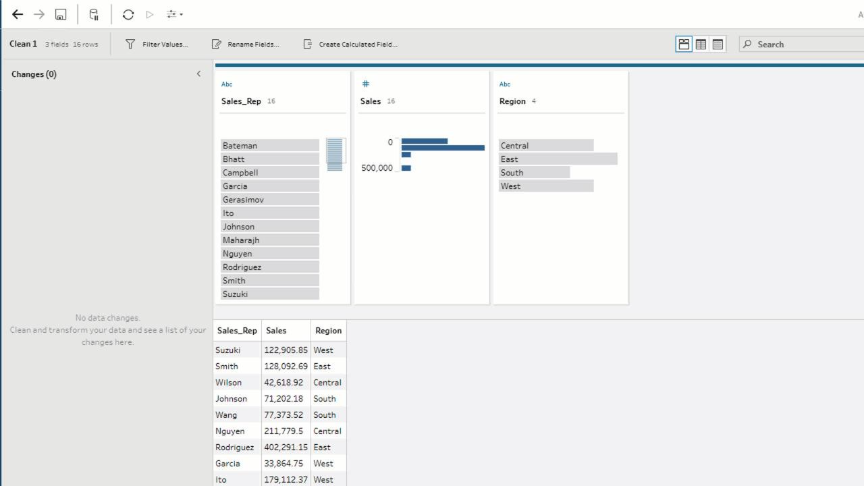
Visual data cleaning: One of the biggest benefits of Tableau Prep Builder is the visual interface that allows you to clean data in a visual way. Interactive profiling is used to easily identify anomalies, duplicates, and nulls.
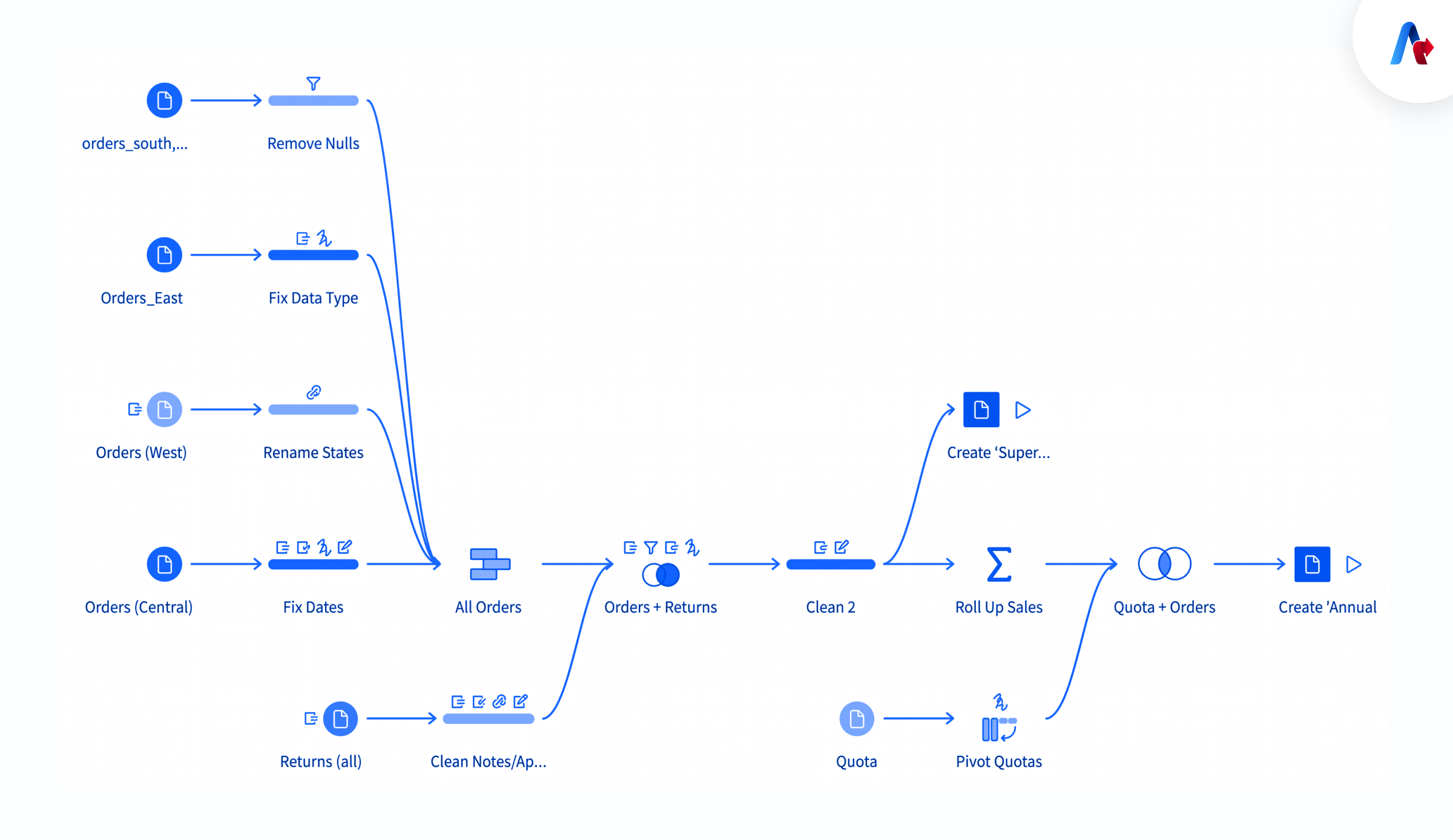
- Drag-and-drop workflow design: Flow-based design enables users to assemble sequences of steps quickly. Users can reorder, branch and merge flows to handle different transformation scenarios without rewriting logic.
- Smart data profiling: The platform also identifies patterns, distributions and outliers automatically, assisting the user to identify issues swiftly.
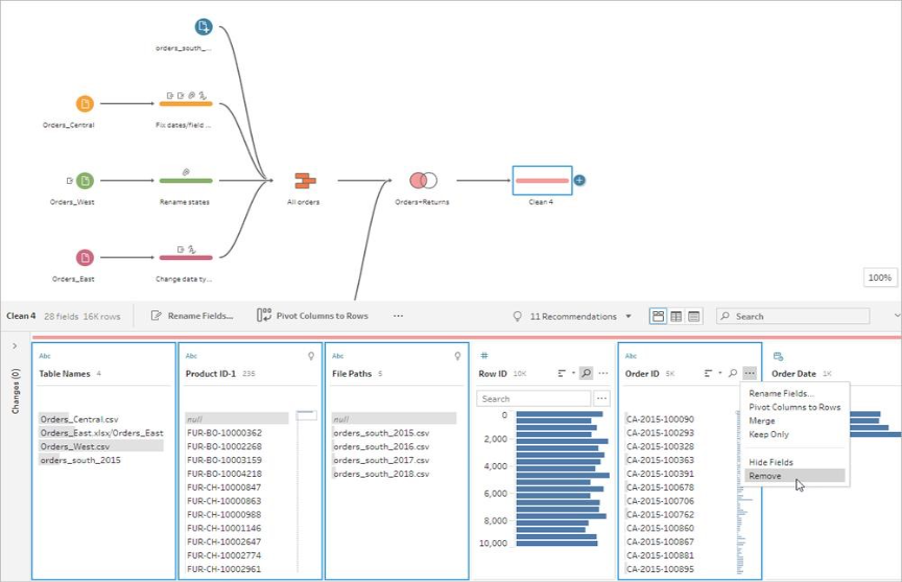
- Combining multiple data sources: Prep Builder can join and union across a variety of heterodox data sources to build a single consolidated dataset for analysis.
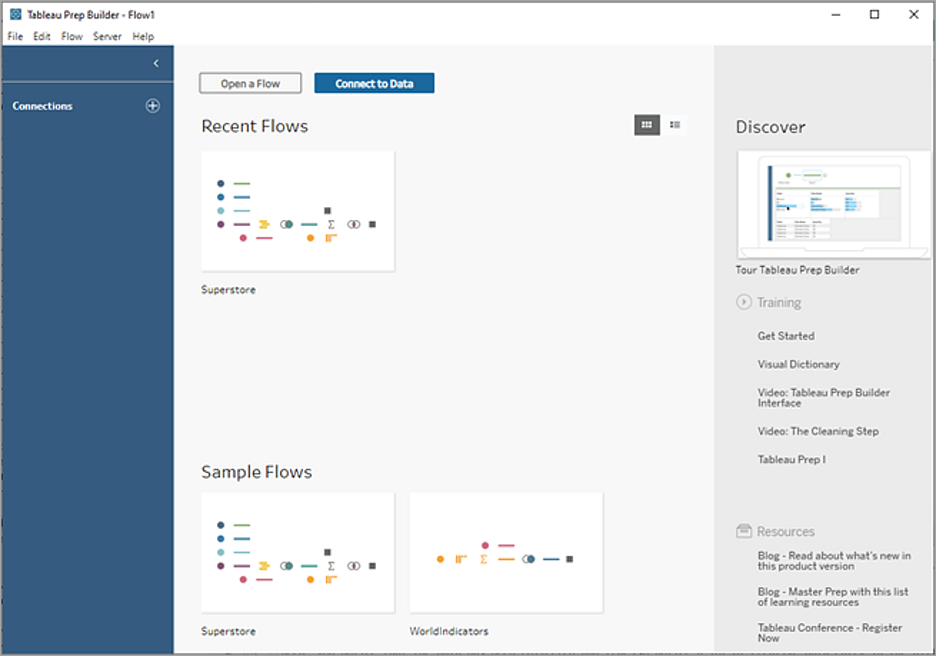
- Reusable data flows: Data flows can be saved and re-used, enabling teams to standardize data transformations and reduce duplicated effort.
- Seamless integration with Tableau Desktop and Tableau Cloud: Prepared datasets can be visualized directly in Tableau Desktop and shared with collaborative consumption in Tableau Cloud.
These features are purpose-built to reduce time-to-insight by shortening the gap between raw data and analysis-ready datasets. The interactive profiling and preview capabilities also serve as documentation for data lineage, making it easier to explain and audit how source data is transformed before consumption.
Tableau Prep Conductor
Tableau Prep Conductor automates and schedules Tableau Prep flows in Tableau Server or Tableau Cloud. It enables organisations to ensure that their data is fresh, controlled and trustworthy for analytics processes.
Prep Conductor schedules or executes flows as needed in a centralized environment, eliminating the need for each analyst to manually execute and export results. This scheduling feature is crucial for dashboards and AI models needing up-to-date inputs. Prep Conductor also surfaces monitoring and logging data to enable administrators to monitor flow execution, detect failures and enable retry strategies.
From a governance point of view Prep Conductor provides centralized ownership, access controls and versioning. IT and data governance teams can set permissions and monitor usage, while analysts can focus on building and refining flows. Prep Conductor, together with Tableau’s metadata management and data cataloging capabilities, provides organizations with consistent, trusted data across reporting and analytics workloads.
Tableau Prep vs Tableau Desktop
The Tableau Prep is used for data preparation and Tableau Desktop is used for data visualization and dashboard building. They offer a comprehensive analytics solution together.
| Feature | Tableau Prep Builder | Tableau Desktop |
|---|---|---|
| Primary Purpose | Data preparation and cleaning | Data visualization and analytics |
| Main Users | Data analysts, data engineers, business users | Analysts, BI developers |
| Core Functionality | Clean, shape, combine data | Build dashboards and reports |
| Workflow Style | Visual flow-based preparation | Interactive dashboard creation |
| Automation | Via Prep Conductor | Dashboard refresh scheduling |
| Output | Clean datasets | Charts, dashboards, insights |
Although each product emphasizes different parts of the analytic lifecycle, they are complementary. Prep Builder prepares data for Desktop, allowing it to concentrate on exploration and storytelling. Standardized outputs from Prep minimize repetitive calculation and workarounds in Desktop and optimize extractions and data models to boost dashboard performance.
Not sure whether you need Prep, Desktop, or both?
Get a free workflow audit
How Tableau Prep Supports AI and Analytics
AI initiatives require clean and structured data. Tableau Prep Builder aids in enhancing data quality, standardizing data sets and establishing trusted pipelines for artificial intelligence, predictive analytics and business intelligence.
Successful AI deployments depend on reliable training data and ongoing input datasets. Prep Builder can assist by normalizing fields, dealing with missing values, de-duplicating information and ensuring consistent formats of important identifiers. These transformations help to decrease noise and bias in model inputs and provide reproducible feature engineering. Prep flows can generate curated datasets that have a clear lineage for analytics teams, especially when it comes to model governance and compliance.
In addition to model inputs, Prep Builder can generate analytics workflows that can be used to generate monitoring dashboards that validate model behavior in production. Teams can schedule flows through Prep Conductor and be assured that they have the same data regularly and in time. This facilitates model improvements in an iterative manner and enables the implementation of AI in practice.
Benefits of Tableau Prep Builder
Faster data preparation
Data visual flows and automated data profiling greatly speed up the timeframe from raw data to analysis-ready datasets.
Improved data quality
Data cleaning capabilities and data profiling capabilities can uncover and address missing data, inconsistent formatting and duplicate data.
Better governance
Publishing flows and Prep Conductor centralizes ownership and auditing, so that it's easier to keep track of the data's compliance and to minimize data sprawl.
Reduced manual effort
Drag-and-drop operations and reusable flows lower the need for repetitive scripting and manual cleansing.
Scalable analytics workflows
When combined with server/cloud scheduling, Prep Builder scales from single-user projects to enterprise pipelines.
Easier collaboration between business and analytics teams
Visual, shareable flows make it simpler for non-technical stakeholders to understand and contribute to data preparation.
Such advantages result in tangible operational advantages, such as reduced incorrect reporting rates, quicker time to insight and increased trust in AI decision-making. For B2B, these enhancements help provide executives, product and customer-facing teams with quality analytics.
Ready to see these benefits in your own dashboards?
Start your free trial
Tableau Prep Download
Users can download Tableau Prep Builder directly from Tableau’s official website. Before installation, organizations should verify licensing, compatibility and system requirements.
Preparatory steps typically include checking memory, CPU and OS requirements and installing any necessary drivers for database connections. With an enterprise deployment, IT teams should decide how they want to license and deploy their flows, whether they will run onsite or publish and schedule them on Tableau Server or Tableau Cloud using Prep Conductor. Organizations should also check and confirm the security policies for data access and encryption, both while it is being transmitted and when it is stored.
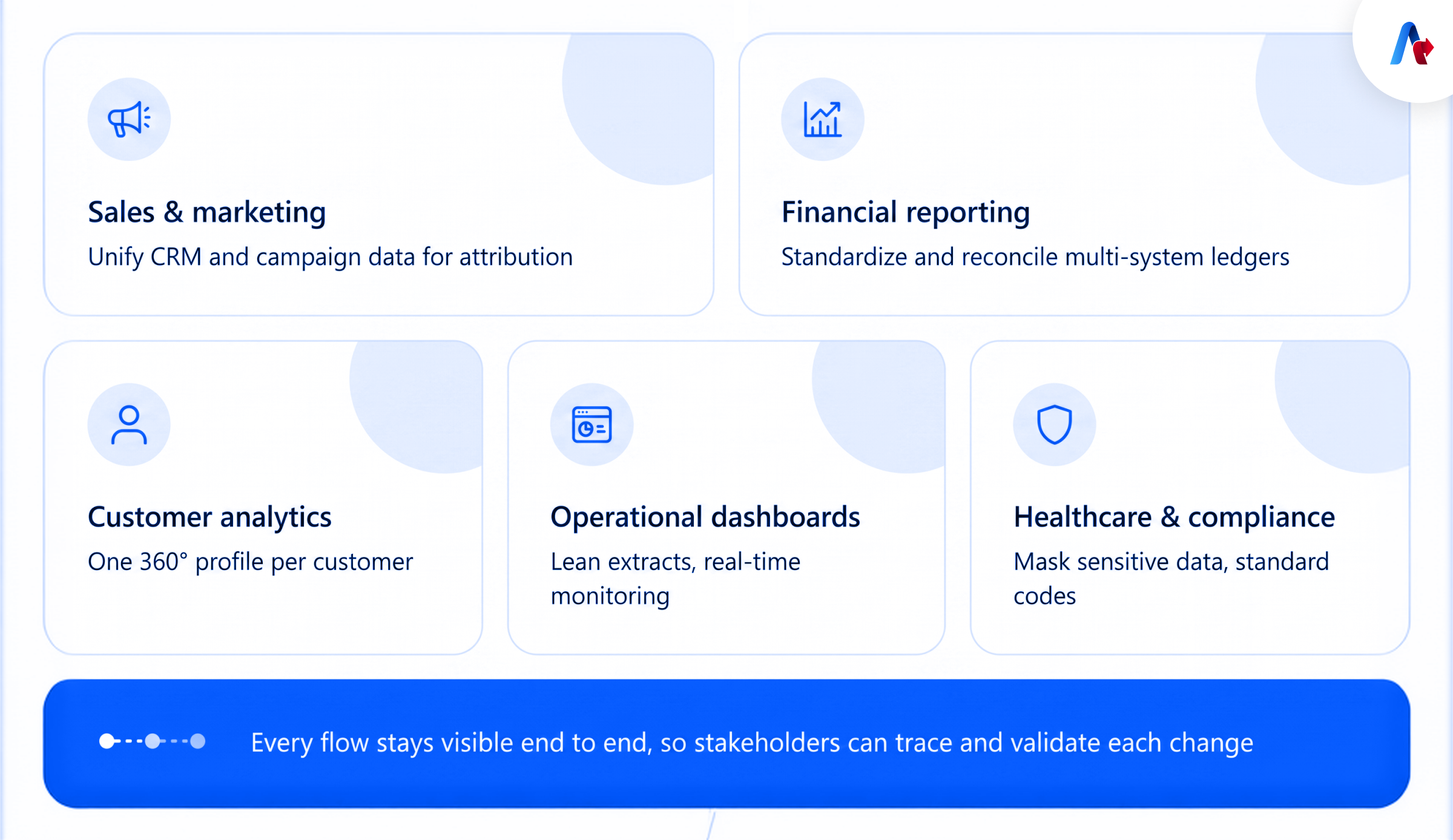
Common Use Cases for Tableau Prep
Sales and Marketing Analytics
Bring CRM, campaign and lead data together in a single, analytics-ready data set. Standardize lead source fields, deduplicate contacts and prepare attribution-ready tables for lifecycle analysis.
Financial Reporting
Pull together financial data from different systems. Currency conversions, account code normalization and reconciled ledgers for monthly reporting.
Customer Analytics
Pull together customer interactions from different touch points for a 360-degree view. Pull all customer information into a single profile, combining behavioral, transactional, and support details.
Operational Dashboards
Create logistics data, supply chain or operation data for real-time monitoring. Combine event data, remove noise and produce lean extracts to enhance dashboard performance.
Healthcare and Compliance Reporting
Govern, standardize and ensure accuracy of sensitive data. Obfuscate or mask sensitive data when needed and have consistent codes for clinical and administrative data.
The visual aspect of Prep flows is an advantage to each use case, as stakeholders can follow the flow of data and understand how it has changed making it much easier to validate and reduce time spent on reconciling data between analytics and source systems.
Best Practices for Building Trusted Analytics Workflows
Consider these real-world best practices to get the most from Tableau Prep Builder and Prep Conductor:
- Start with profiling: Apply automatic profiling to get an understanding of distributions, missingness and anomalies before applying transformations.
- Modularize flows: Separate out bigger flow to smaller and reusable subflow. That would make the testing and maintenance process simpler.
- Document Transformations: Use annotations and/or a naming convention for flows that are easy to understand, so your team will understand the rationale and function of each step flow.
- Version Control: Make sure to save the flow each time you make an update and leave a message with an explanation each time you publish to the Tableau Server or Cloud.
- Centralize Scheduling: Make sure each of your production flows runs through Prep Conductor to ensure each runs the same way at the same time, and avoid running flows from your own local instance.
- Monitor and alert: Implement monitoring for flow failures and develop communication processes that will enable failure resolution at an early stage.
- Secure sensitive data: Either mask or omit sensitive data and comply with your organization’s access control and encryption policies.
- Test with sample and full datasets: Represent a transformation on a sample of the full dataset and then run the full dataset to test for performance and edge cases.
Conclusion
Tableau Prep Builder helps organizations prepare data and then trust that data for AI and analytics. With visual workspaces, automated tasks, and seamless integration across the Tableau platform, it has become an essential tool for modern data preparation and business intelligence.
If your team is ready to move from raw, disconnected data to clean, AI-ready pipelines, Accelerate's Tableau Consulting services can help you design, build, and govern Prep flows tailored to your data stack, whether you're standing up your first flow or scaling Prep Conductor across an enterprise environment.